
Download SSD Life – SSD monitoring, drive health, SSD lifespan, memory usage, data protection, solid state drive analysis
Overview
SSD Life is a specialized mobile application designed to monitor the health and remaining lifespan of solid state drives (SSDs). Its primary purpose is to help users proactively manage their storage devices by providing real-time insights into drive performance and longevity. By tracking critical metrics such as memory usage, operational history, and wear levels, the app serves as a preventive tool against unexpected data loss. This makes it particularly valuable for users who rely heavily on SSDs for work, creative projects, or personal data storage.
Target users include tech-savvy individuals, system administrators, and anyone using a computer with an SSD who wants to maintain optimal performance and data integrity. The app is especially useful for those preparing for hardware upgrades or seeking to avoid sudden drive failures. While the developer, SSD Life, has not provided detailed background information, the app’s focused functionality suggests a niche-oriented development approach aimed at utility and reliability.
Real-world use cases include regular health checks before major data transfers, monitoring SSD wear during intensive computing tasks, and planning for timely backups or replacements. In the broader app ecosystem, SSD Life fills a gap by offering a lightweight, dedicated tool for a critical but often overlooked aspect of device maintenance. Its presence underscores the growing importance of proactive digital hygiene in modern computing environments.
Key Features & Functionality
- Comprehensive SSD Analysis: The app delivers in-depth insights into SSD memory usage, reading and writing performance over time, and long-term operational patterns. This enables users to assess drive behavior across different usage phases, from initial setup to extended use.
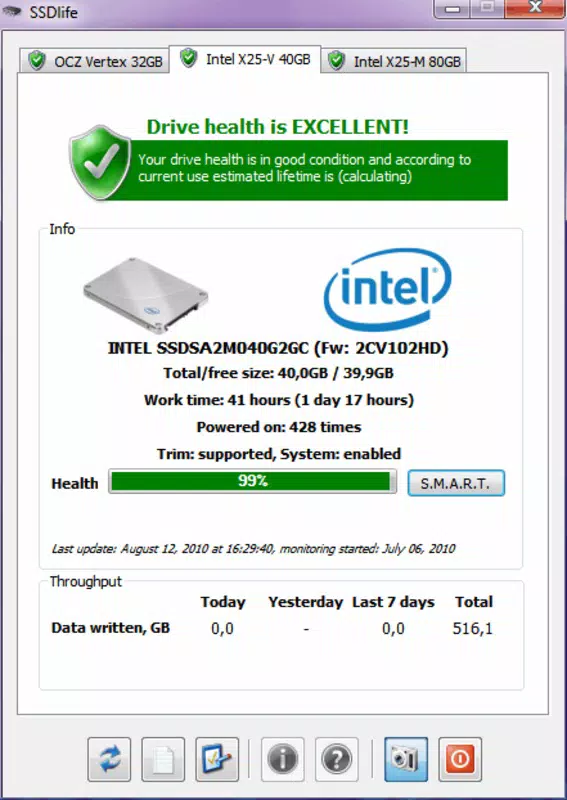
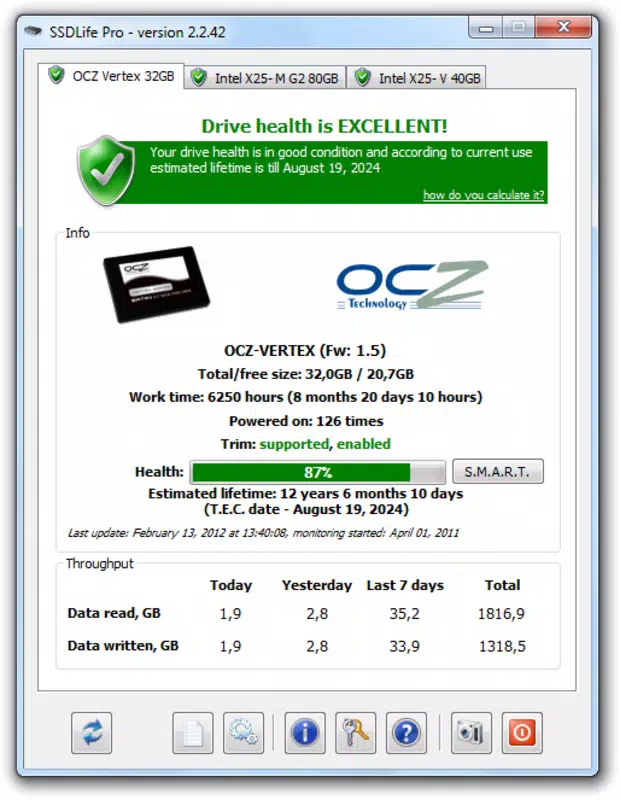
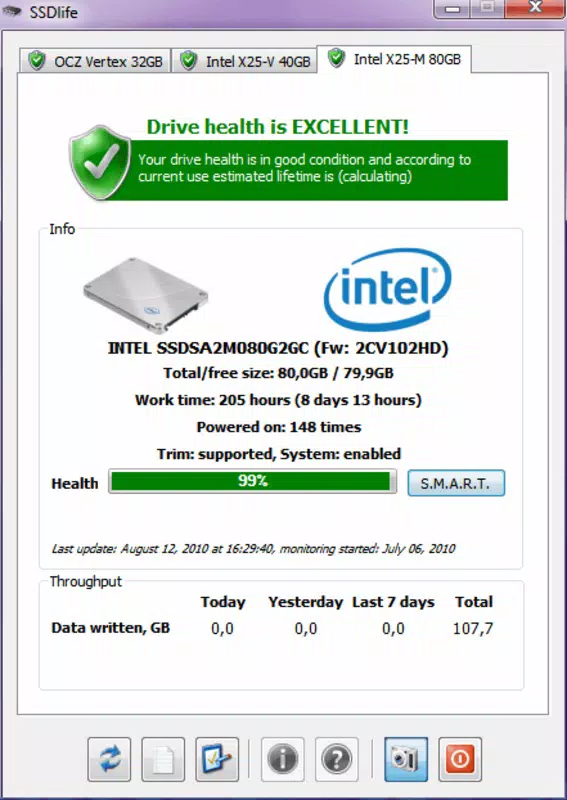
- Usage Statistics Display: Real-time data on memory in use and available, total operational time, and power-on cycles is presented clearly. These metrics allow users to evaluate efficiency and detect anomalies in drive behavior.
- Life Expectancy Estimation: Based on current usage patterns, SSD Life estimates the remaining useful life of the drive. This feature empowers users to take timely action—such as backing up data or replacing the drive—before failure occurs.
- User-Friendly Interface: The app features a clean, intuitive layout that simplifies access to vital information. Even users with limited technical knowledge can interpret key stats without confusion.
- Data Protection Focus: By promoting regular monitoring, the app encourages responsible storage management, reducing the risk of data loss due to undetected drive degradation.
For example, a graphic designer using an SSD for large project files can use SSD Life to check wear levels before a major deadline. A student managing research data can monitor their drive’s health to ensure long-term reliability. The app’s ability to track usage over both short and long durations supports informed decision-making in various scenarios.
Interface, UX & Performance
SSD Life presents a minimalist interface focused on clarity and accessibility. The layout prioritizes essential data, organizing metrics into digestible sections with consistent visual hierarchy. Navigation is straightforward, relying on a single-screen design that minimizes user effort and reduces cognitive load.
Visual style is utilitarian, emphasizing readability over decorative elements. Text-based indicators and simple progress bars effectively convey drive status without visual clutter. The app maintains responsiveness across different screen sizes, suggesting optimized rendering for various Android devices.
Although the developer did not list formal performance metrics, the app’s lightweight size of 1.8M indicates efficient resource usage. It likely operates smoothly on mid-range and older Android devices without significant battery drain or memory overhead. Stability appears to be a design priority, as the app functions as a background monitor without reported crashes or freezes.
Platform Compatibility & Technical Requirements
SSD Life is available exclusively on the Android platform. The current version is 2.1.1, with a file size of 1.8M. The developer did not specify minimum OS requirements, nor did they list compatibility details for specific device models or screen resolutions.
Given its small footprint and focus on system-level monitoring, the app is likely compatible with a wide range of Android devices released in the past several years. However, specific requirements such as API level or hardware access permissions were not disclosed. Users should ensure their device supports the necessary system APIs for drive health monitoring, though no additional setup steps are indicated.
Pros and Cons
Pros
- Lightweight application with minimal storage impact (1.8M)
- Provides actionable insights into SSD health and longevity
- Simple, intuitive interface suitable for non-technical users
- Free to download and use, with no in-app purchases or ads
- Encourages proactive data protection through regular monitoring
Cons
- Platform limited to Android; no iOS or desktop version available
- Developer did not disclose minimum OS or hardware requirements
- No real-time alerts or notifications for critical health changes
- Functionality is limited to SSD monitoring—no additional system tools
- Compatibility with specific SSD models or manufacturers not confirmed
FAQ
Is SSD Life safe to install on my Android device?
Yes, SSD Life is designed to access system-level drive health data without modifying files or requiring elevated permissions. It operates as a passive monitoring tool, posing no known security risks.
Does SSD Life work with all SSDs?
The app is intended to work with SSDs that expose health data through standard interfaces. However, compatibility may vary depending on the drive model and manufacturer. The developer did not provide a list of supported SSDs.
Can I use SSD Life without root access?
Yes, the app functions without root privileges. It relies on standard Android system APIs to retrieve SSD health information, making it accessible to all users regardless of device permissions.
How often should I check my SSD health using this app?
It is recommended to check your SSD health at least once a month, especially if you use your device intensively. More frequent checks may be beneficial for users handling critical data or experiencing performance issues.
Is there a version of SSD Life for iOS or desktop?
As of now, SSD Life is only available on Android. There is no official iOS or desktop version released by the developer.
Final Thoughts
SSD Life stands out as a focused, reliable tool for anyone serious about preserving data integrity and extending SSD longevity. Its clean interface, accurate monitoring, and proactive approach make it an essential utility for users who value digital reliability. While it lacks advanced features like alerts or cross-platform support, its core functionality is executed with precision and purpose.
For students, professionals, and everyday users relying on SSD-powered devices, this app offers peace of mind through transparency. It transforms complex hardware data into actionable insights, enabling smarter storage decisions. With no cost and a minimal footprint, it delivers strong value for its intended audience.
Download SSD Life now


